Passwords and 2FA codes, locked on your own device.

VanKey puts passwords, API keys and authenticator codes in one encrypted vault. It opens without a network. When it syncs, the vault leaves your device as ciphertext.

DownloadHow it encrypts

Android and Windows. Interface in Vietnamese and English.

A 2FA code running inside this page

This is not an animation. Your browser computes the code with standard TOTP (RFC 6238) from a public sample key, the same calculation used by authenticator apps that follow the standard.

Want to verify it? Add the sample key to another authenticator app. If both clocks are right, they show the same code.

TOTP · SHA1 · 6 · 30s

––– –––

Current code

Sample key from RFC 6238, never use it for real

GEZD GNBV GY3T QOJQ GEZD GNBV GY3T QOJQ

What VanKey does

Can replace your authenticator app

TOTP with a countdown, HOTP with a next-code button, and Steam Guard. Add entries by scanning a QR code, pasting an otpauth link or typing the key.

QR scanning has not been tried on a real device. Steam Guard was checked against an independent implementation, not against the live service.

Bring your old data

There are importers for these sources:

  • Google Authenticator
  • Aegis
  • 2FAS
  • Bitwarden
  • KeePass XML
  • 1Password .1pux
  • CSV
  • otpauth://

The importers have only been tested with sample data, not with real export files. Keep your old source until you have compared the results.

Works without a network

The vault is a .vkv file on your device. Opening, searching, editing and reading 2FA codes need no connection. There are encrypted backups, plus CSV or link export when you want to leave.

Sync the storage cannot read

Through a Cloudflare server you deploy yourself, or through a folder on a computer. When two devices edit the same entry, the app asks which version to keep.

The server passes tests on a development machine and has not run on real Cloudflare. Folder sync works on computers only.

Finds weak, reused and leaked passwords

The app points out weak or reused passwords. Its Have I Been Pwned breach check sends only the first 5 characters of a SHA-1 hash, never the password.

The breach check has not been tried over a real network.

Closes when you walk away

Auto-lock after inactivity, automatic clipboard clearing, delays after repeated wrong attempts, screenshot blocking on Android and fingerprint unlock.

Screenshot blocking and fingerprint unlock have not been tested by hand.
The real interface

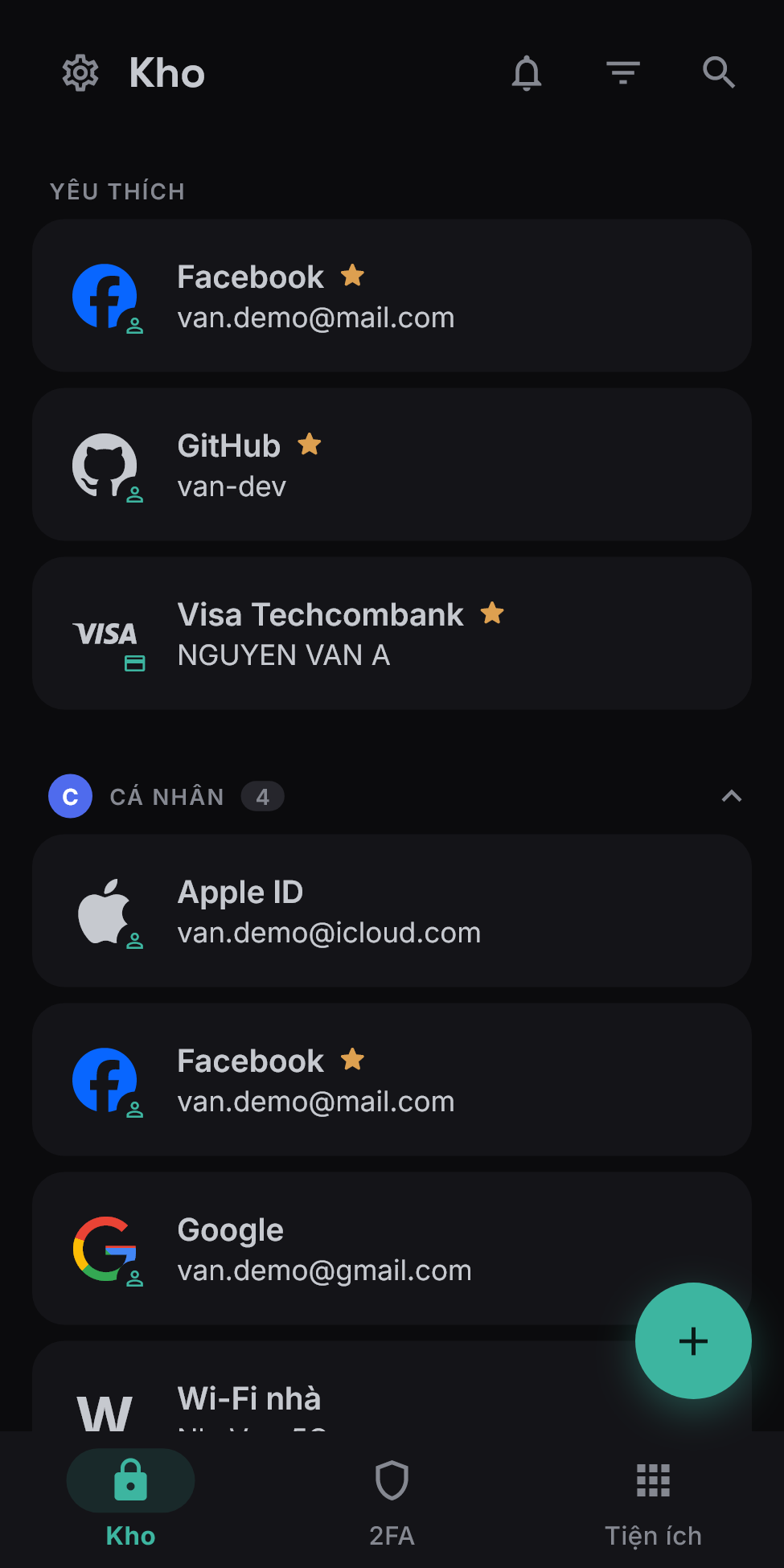
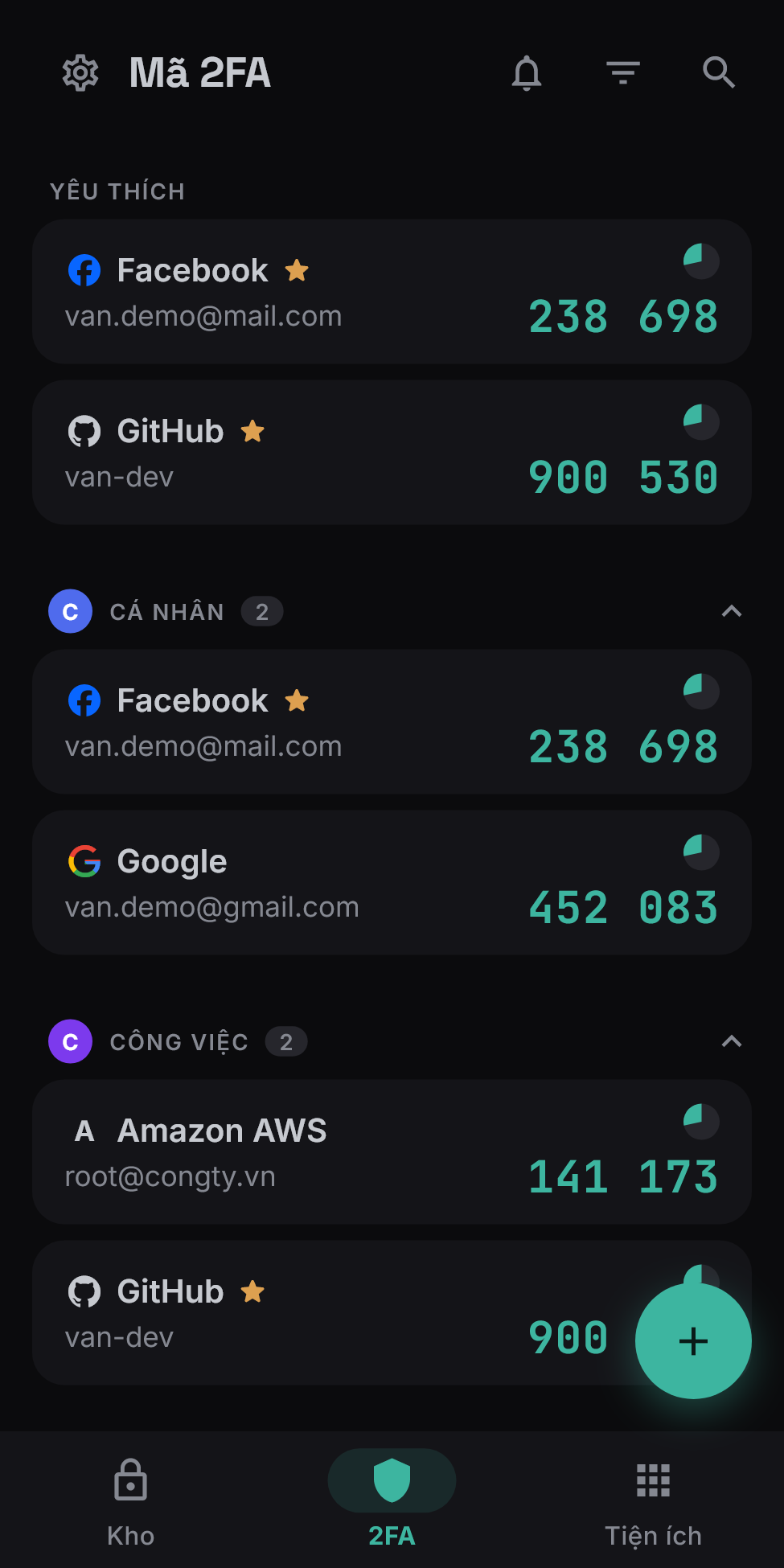
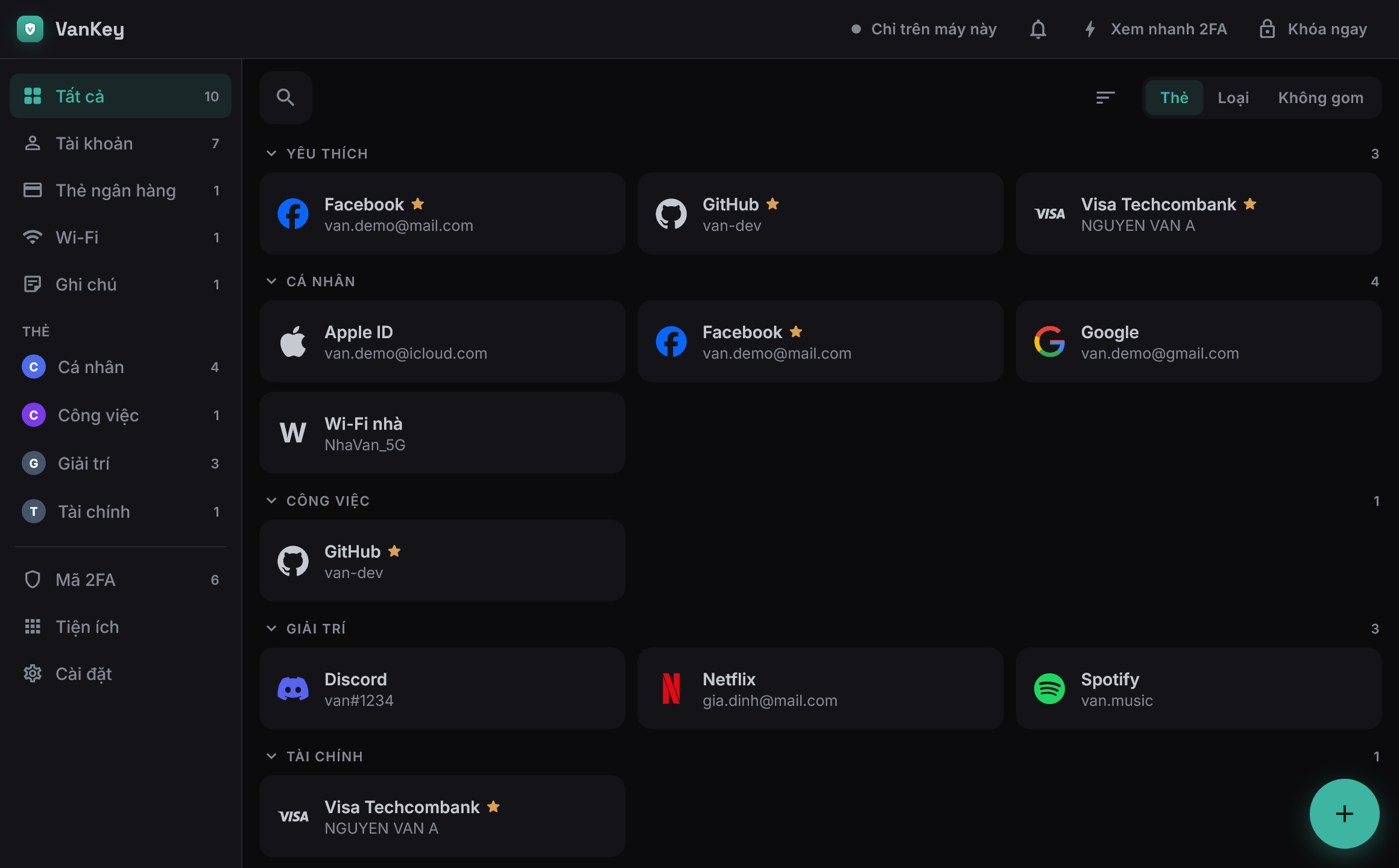
These images are rendered straight from the app’s interface code with sample data. No real accounts appear in them.

VanKey in the desktop layout: a sidebar of filters and a grid of sample entries
Desktop layout
VanKey in the phone layout: the list of entries in a sample vaultVanKey in the phone layout: the 2FA tab with countdowns
Phone layout

Where your data goes

From the moment you type your password until a copy sits somewhere else. The character strings below are illustrations only.

On your device

  1. Master password

    The password itself never leaves your device, not even when you sign in to a sync server.

  2. NFKC normalisation

    Composed and precomposed Vietnamese letters become the same bytes, so the vault opens on every device.

  3. Argon2id

    The standard setting is 64 MiB and 3 passes, which makes every password guess expensive. The app measures the device when creating a vault and stores the parameters with it.

  4. KEK

    The result is a key used only to wrap another key. The recovery key takes a separate path, through HKDF-SHA256, to another KEK.

  5. Unwrap the vault key

    The KEK unwraps a random 32-byte vault key. Changing your password therefore does not re-encrypt all your data.

  6. XChaCha20-Poly1305

    The vault key encrypts all the data and detects any change. If one byte is wrong, the vault does not open.

  7. .vkv file

    Data is padded to a multiple of 4 KiB before encryption, so the file size reveals less about the number of entries.

  8. Leaves your device

    Sync

    The sync server or folder receives only the encrypted vault. The storage can still see file size and update times. A server also sees your username, device count and IP address.

Read the vault format spec (in Vietnamese)

Straight talk about security

Lose both and the vault is gone
If you forget the master password and lose the recovery key, nobody can open the vault, including the app’s author.
No independent review yet
The file format and the cryptographic code have not been checked by outsiders. The cryptography is pure Dart. The specification currently advises against real data until a review is done.
No defence against a compromised device
Malware, keyloggers and someone holding your unlocked device are outside what it can protect against.
Written but not yet tried for real
QR scanning, fingerprint unlock, screenshot blocking, scheduled notifications, the online breach check, importing real export files from other apps, scanning exported codes with Google Authenticator, and running the sync server on real Cloudflare.

Download

VanKey is mainly for personal use right now and has no public release yet.

  • Android

    APK file

    Coming soon

  • Windows

    Installer

    Coming soon

Source code and build stepsVersion in source: 1.0.0